Author: kscory (Page 2 of 3)

Weekly Reflection #8

This week in class we learned about a tool for the classroom called Prodigy! Prodigy is a game that is educational and incorporates the use of math.

How it Works!✨

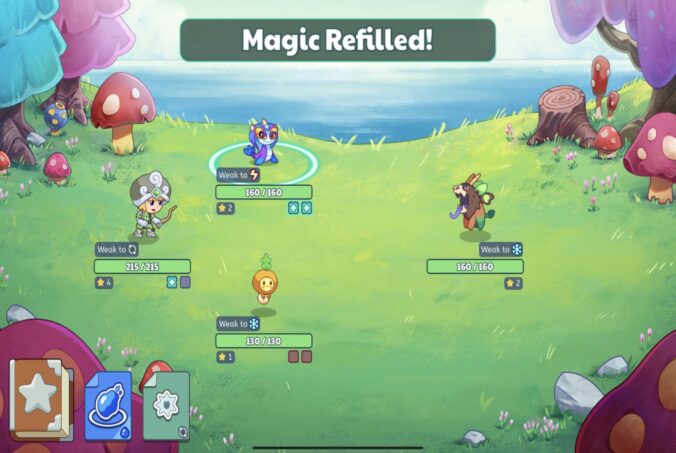
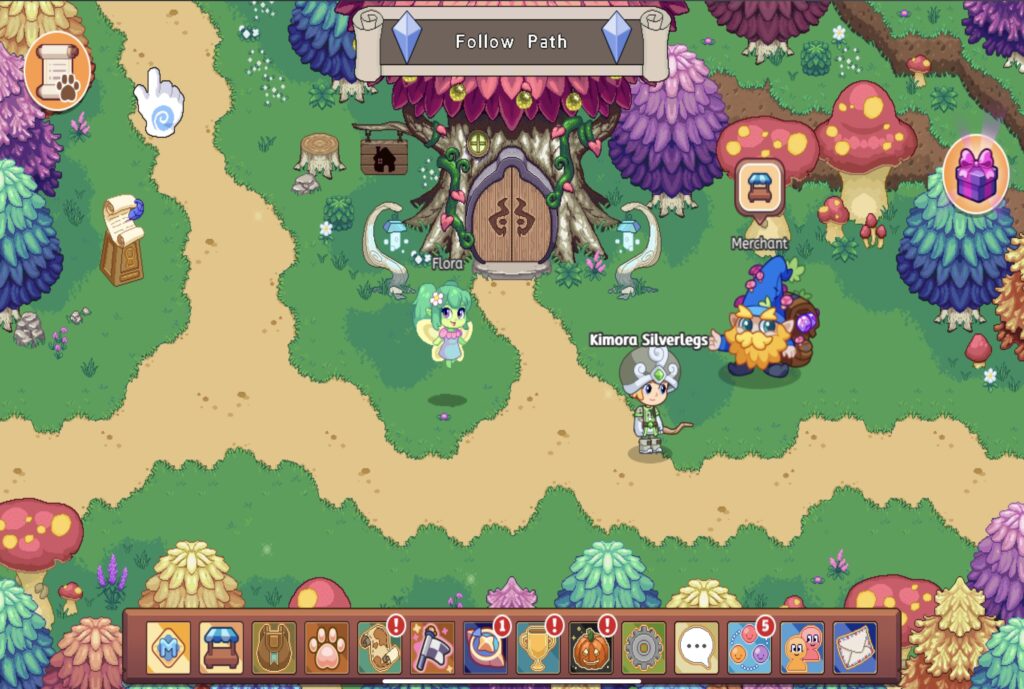
Teachers set up an account and assign a sign up code for each student. The students can then play the game under their own account that is linked to the teacher. Teachers can assign specific math topics and monitor a students progress. In the game the student is a character and the character goes on an adventure. Throughout the adventure students will complete math challenges to collect rewards! Link attached to photo below!
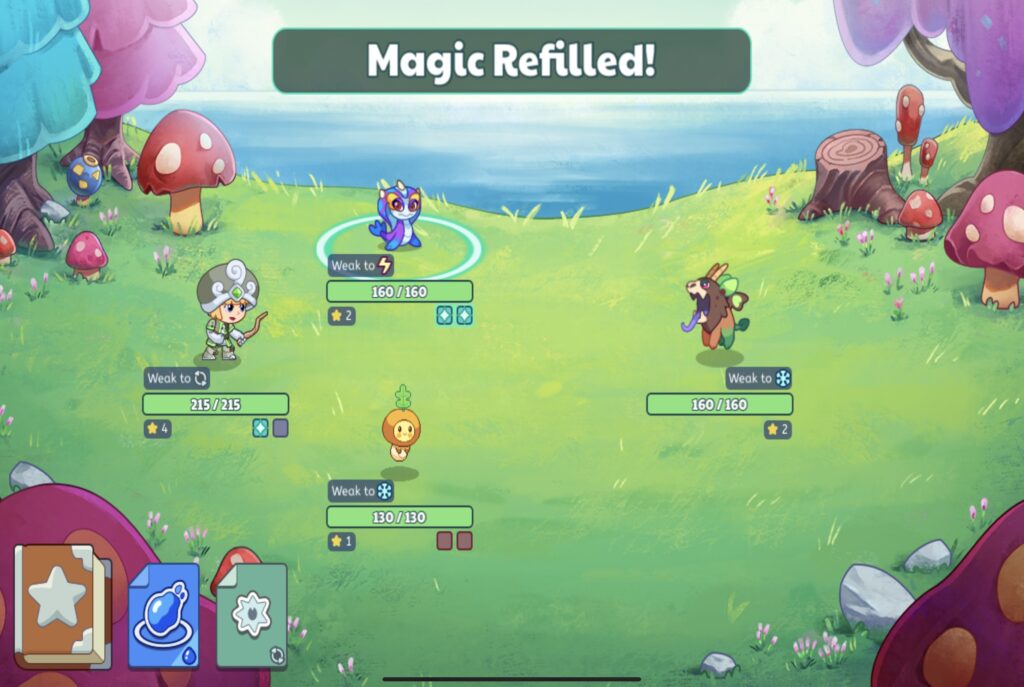
My Experience 😁💡

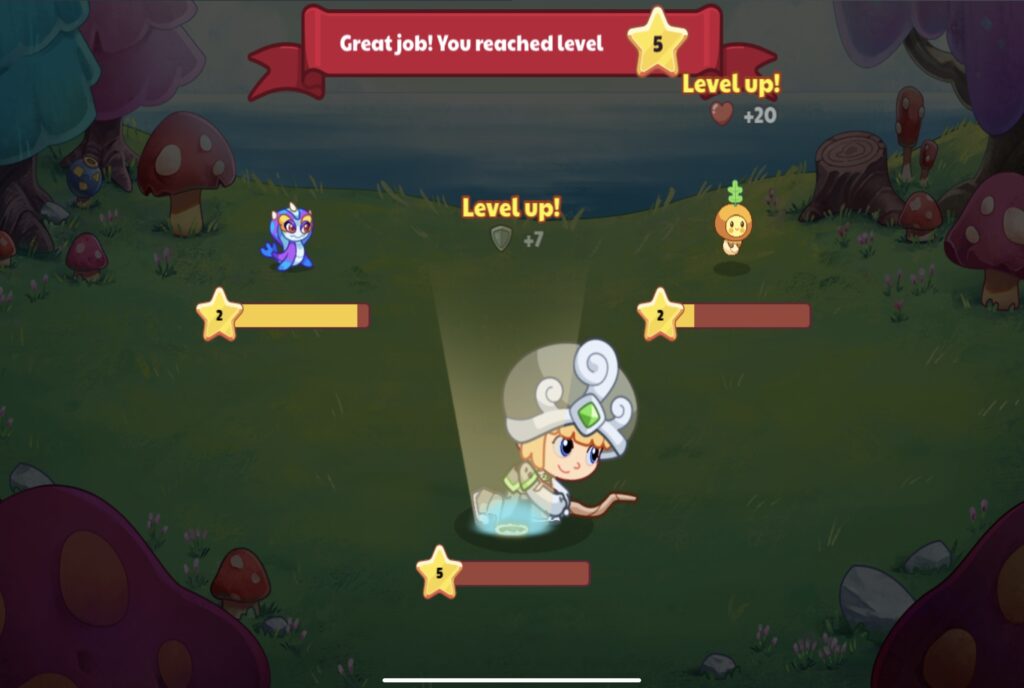
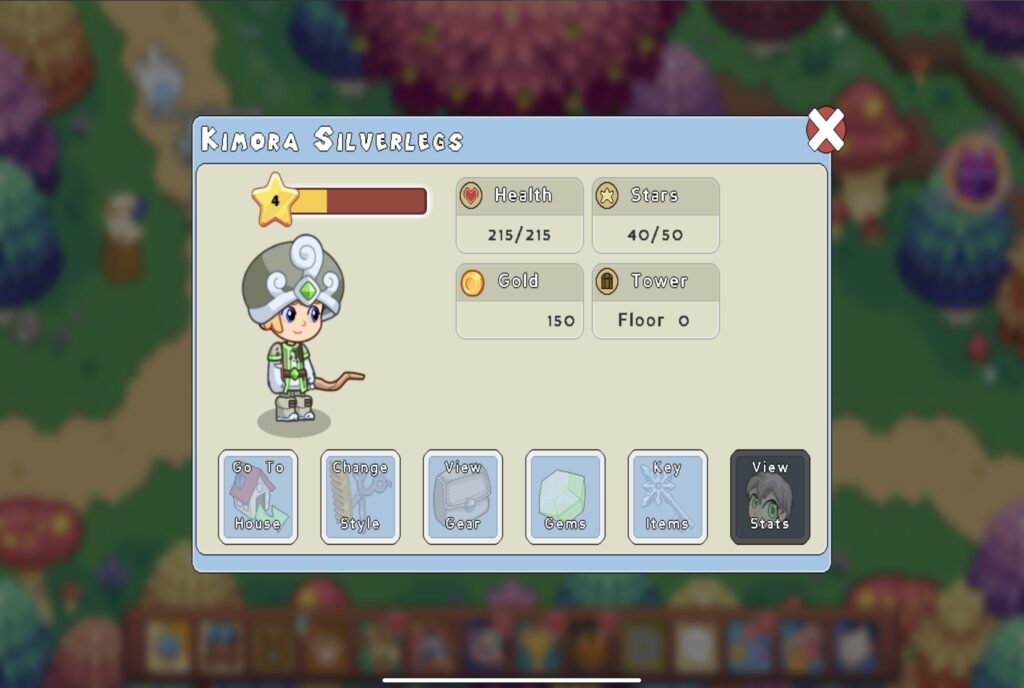
The photos above were taken while I was playing prodigy. It was super fun to create my character, however the character selection is not inclusive. This is something to be aware of if used in the classroom. Prodigy is easy to understand and the instant feedback and rewards makes it fun! I enjoyed the main idea behind the game. Using math questions to level up motivated me to keep playing even though I had to challenges to continue.

What It Has To Offer Teachers📚🧐

I believe Prodigy is a great resource to incorporate into the classroom. If I were to use this in my classroom I would utilize it as a fun activity for students to do during free time or after they have completed assignments. The game has educational components however players do spend more time playing the game rather than completing math questions. Prodigy still has a lot of great features though such as gearing the game towards students abilities and tracking their progress. Teachers can use the instant feedback to track and share students progress with families!

https://youtu.be/8ZdtgWHDVIY?si=lwkXUKVNxHUGs8f_

What Is Gamification In Schools?✨

Gamification is adding game playing to other activities such as math, science etc.. in classrooms to increase students motivation!

I have attached a link to the photo below for more information!
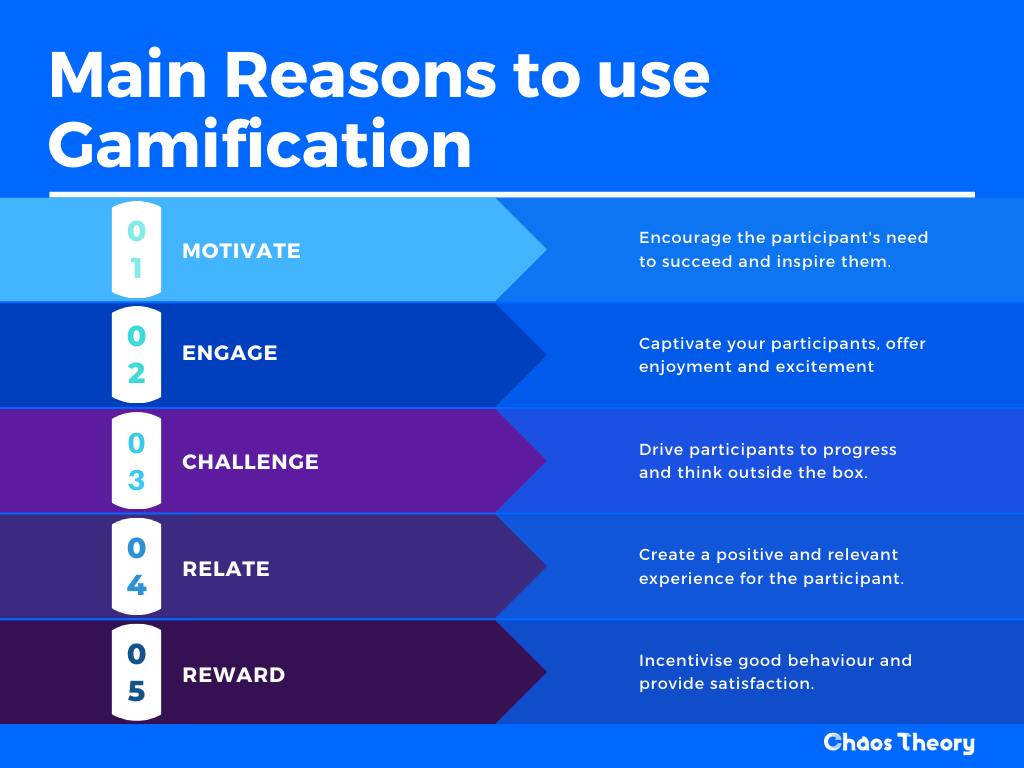
Pros and Cons to Gamification in classrooms 💻⭐️

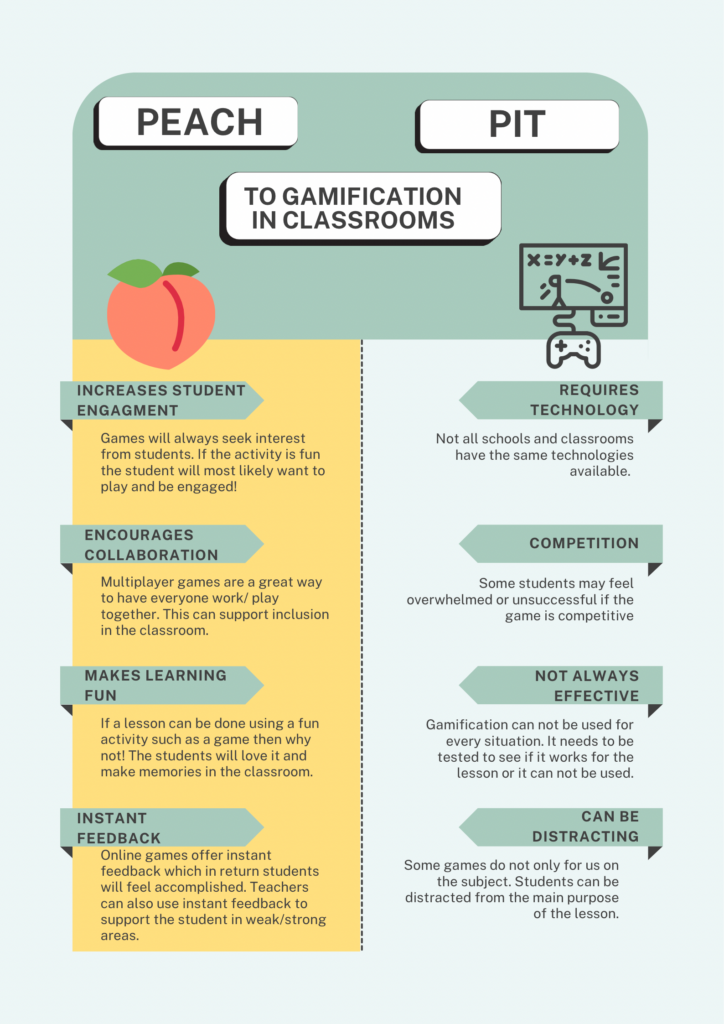
I created a poster on Canva for the pros and cons to gamification in classrooms.

I’ve attached a link the Canva to the image!
Weekly Reflection #7

This week I got a chance to check out the SD#5 design lab located in a located elementary school. We got to see many cool technologies that can be used in schools (keep reading for more details!) as well as learn and reflect on “Innovation in Education”.

Innovation In Education 📚😁

What is it?

Innovation in education means to use new technologies and advances to increase motivation in students to use their independence, collaboration skills, creativity and imagination. Using innovative technologies in the classroom will create a space with less barriers and more inclusion for students.

Why does this matter?

In a diverse classroom students will have all levels of abilities and every student will be different. The great thing about innovation in education is it aims to meet all students needs. It allows students to create at levels where they are at and can achieve personal and academic goals. Ultimately, it will increase students motivation in the classroom and create a safe and innovative space for every student to learn and grow in.

SD#5 Design Lab📱🎨

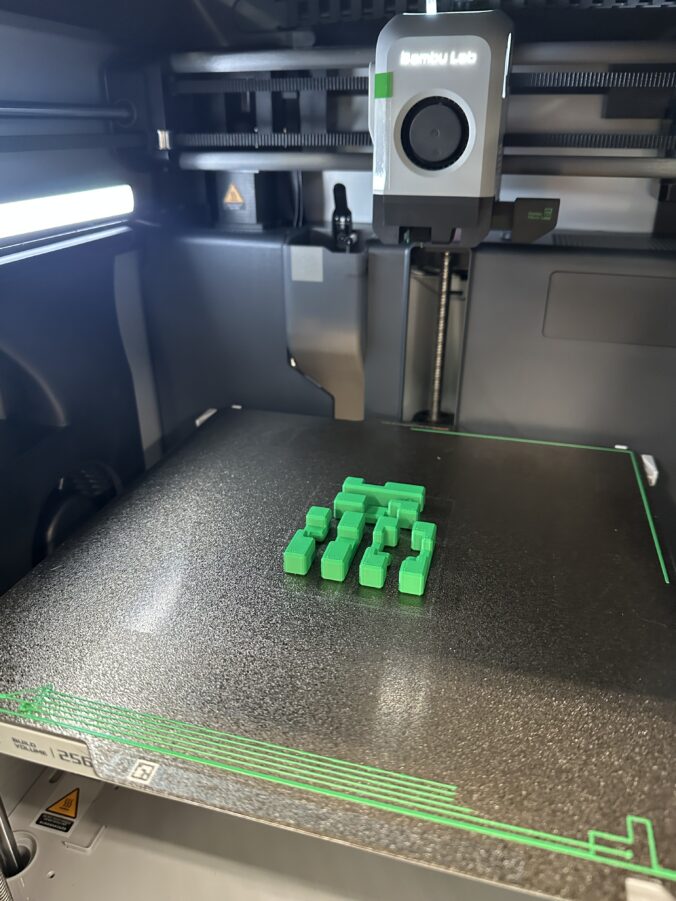
The SD#5 design lab is a cool space that has tons of cool technologies for classrooms in the district come try out! A few tools they have are…

  1. 3D printers
  2. Lego
  3. VR Headsets
  4. Laser cutter
  5. Books
  6. And So Much More!

The design lab is the perfect example for innovation in education. Unfortunately, not every school will have the same resources, but with the design lab any classroom in the district can come and spend the day working in the lab. (Even busing is covered) This way every student has the same opportunities. This lab is a safe space for students to use their creativity and imagination in an educational setting and increase their motivation to learn! The design lab is an incredible space that our communities are blessed to have, because every student deserves the opportunity to learn and use advanced technologies.

What Stood Out?

As soon as we walked into the lab I noticed the space was an open concept with lots of room to move around. The building and space was also accessible for all students. The space was also filled with so many cool things. I could have spent hours just looking at everything! Most importantly I noticed how safe and inclusive the space is. The team who runs the design lab have students best interests at heart and it really shows!

The Activities I Tried!

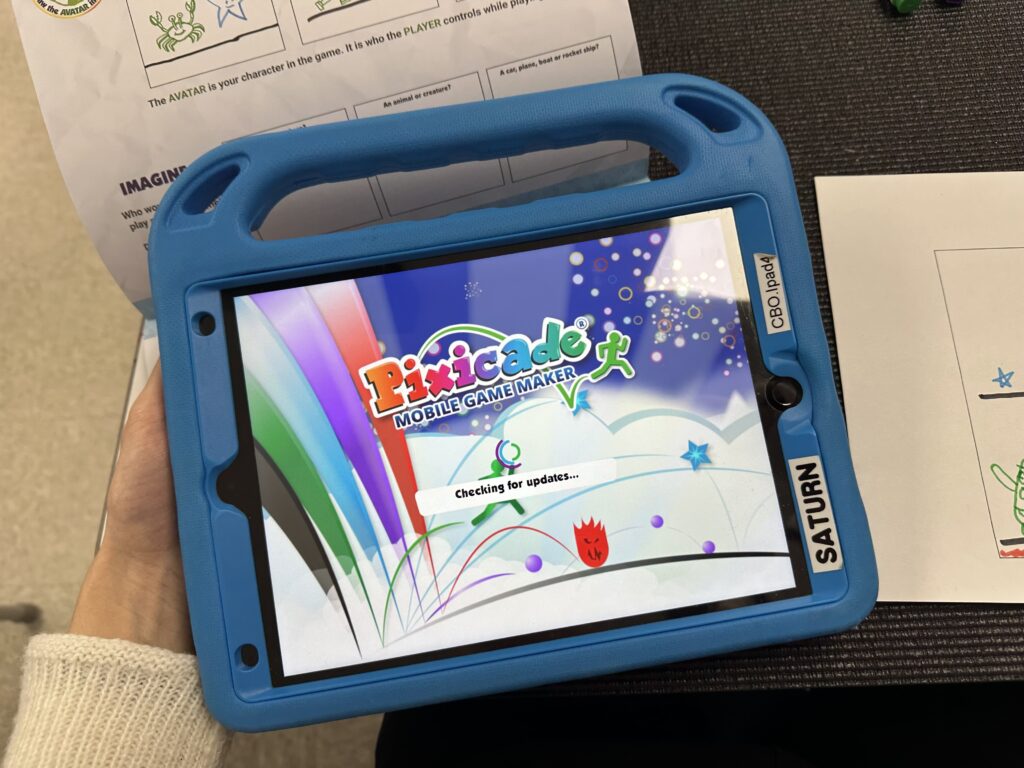
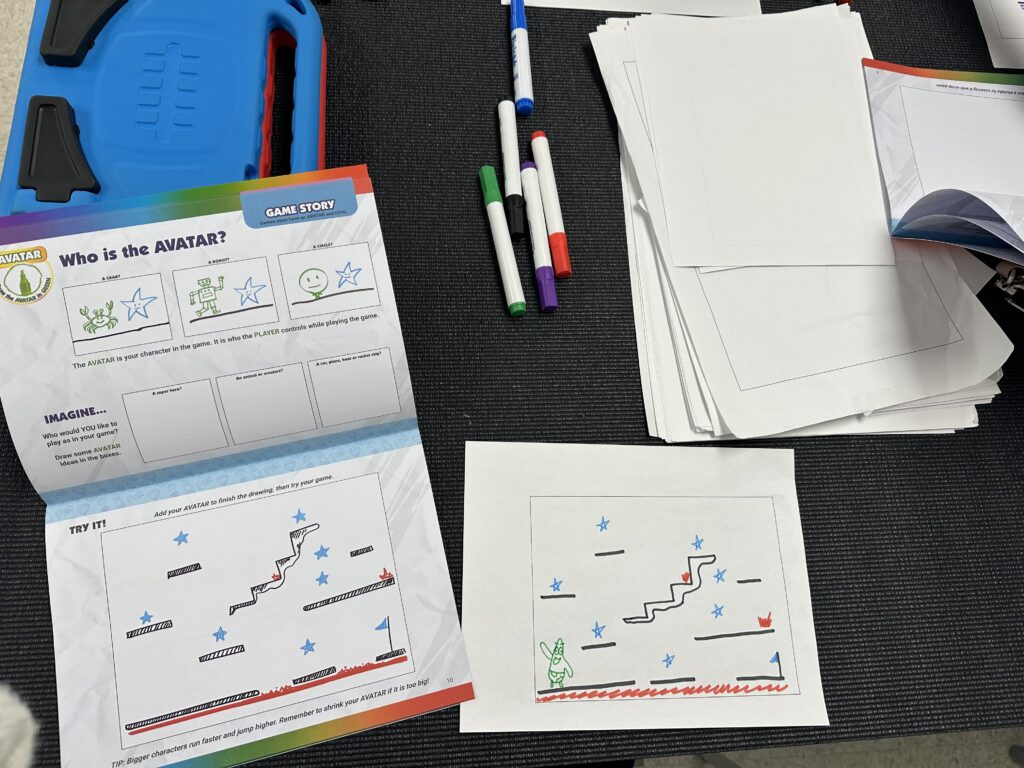
I tried the game Pixicade on an iPad. This game allows students to draw a game, take a picture of it and the app will bring the game to life!

Books📚

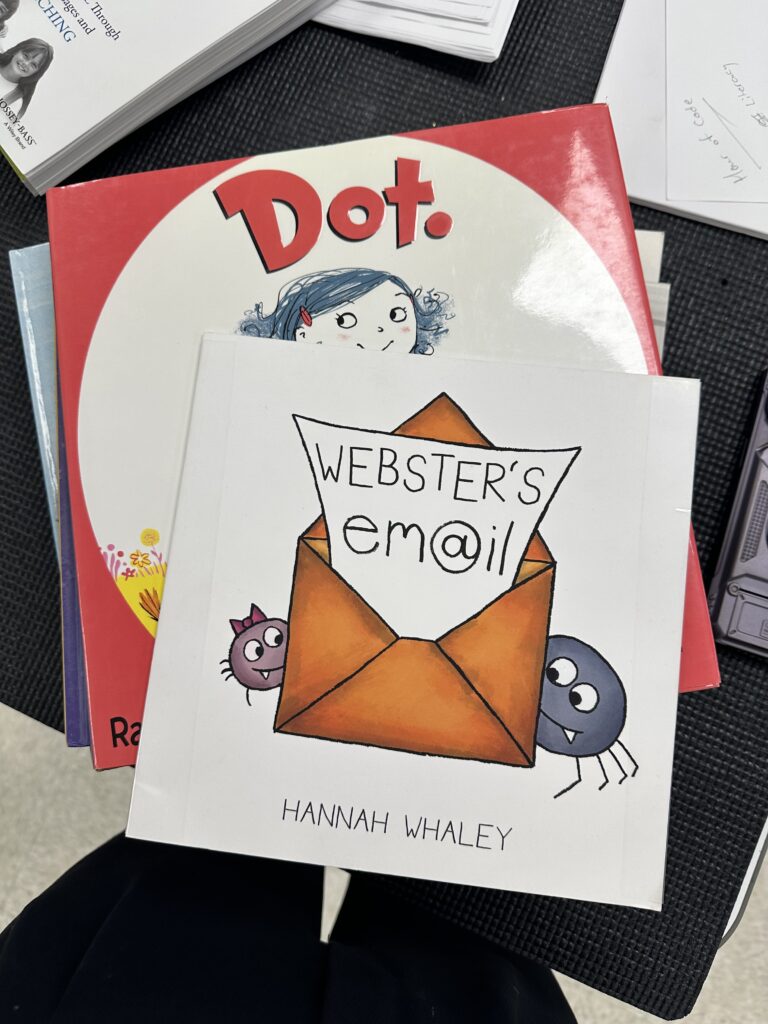
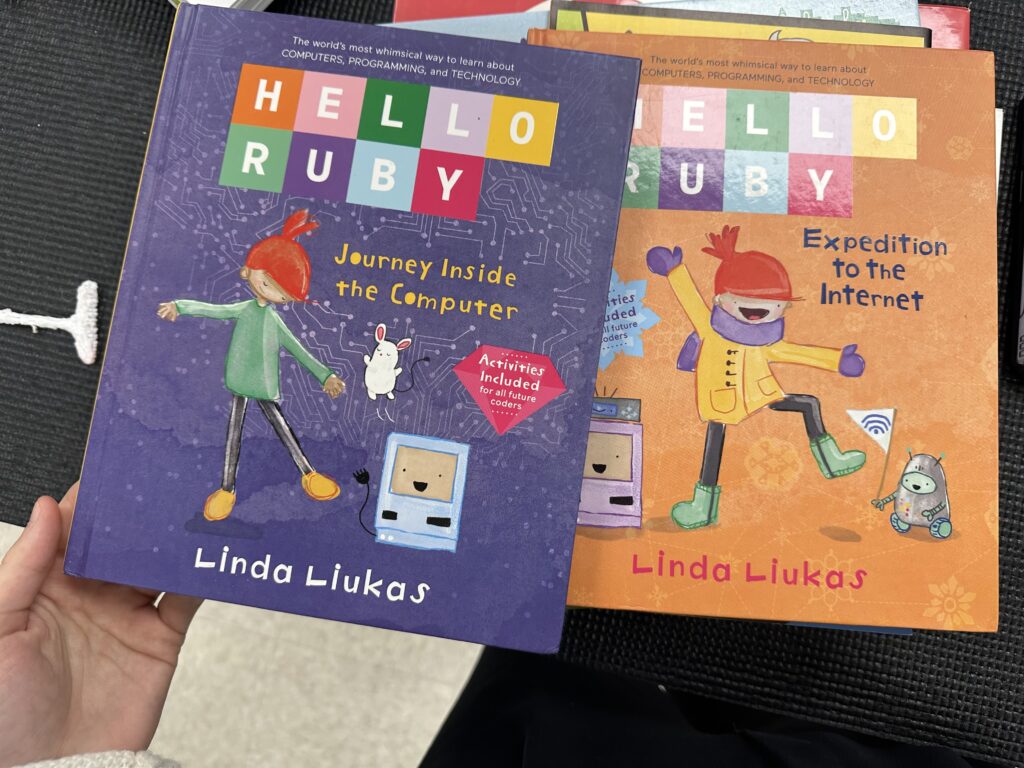
There was so many books to give a quick read. I definitely will be using these resources when I am a teacher!

Into My Career 👩‍🎓✏️

I envision to use this space when my students need something to look forward to in their week. The design lab is so much fun that students do not even realize they are learning. If I find my students are lacking motivation and need that boost of creativity I would definitely utilize the design lab! I would do projects such as Lego, 3D print their designs and the Scribed Pens! I would plan an activity that was cross curricular and then head to the design lab to make their designs come true! The options are endless.

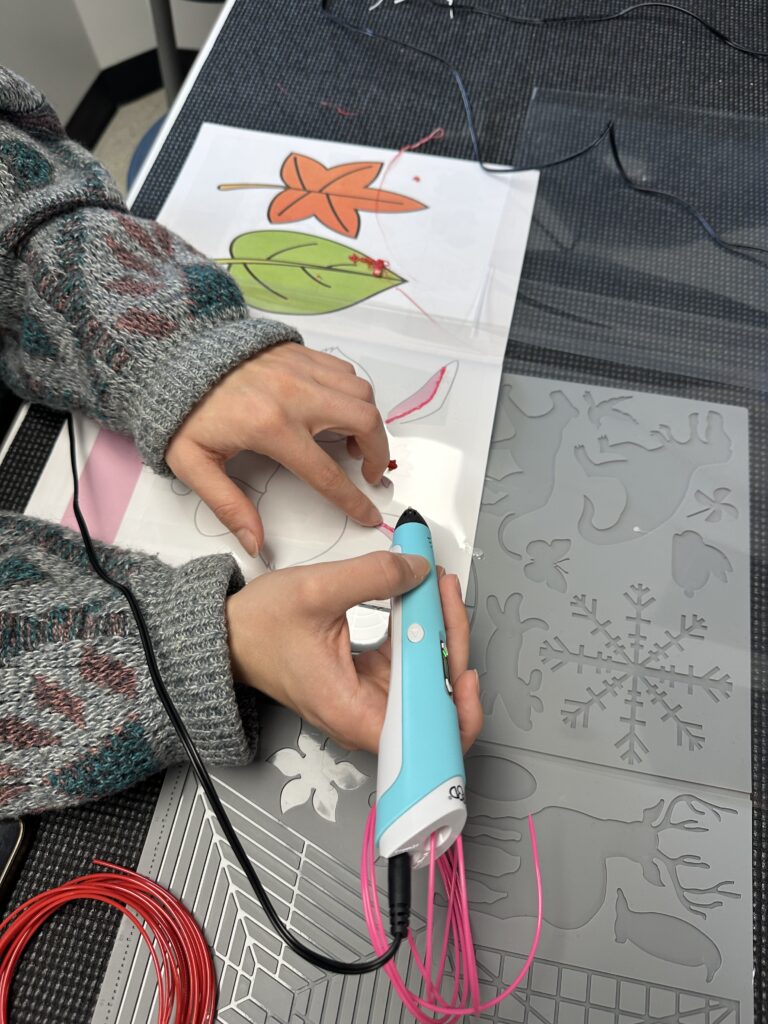
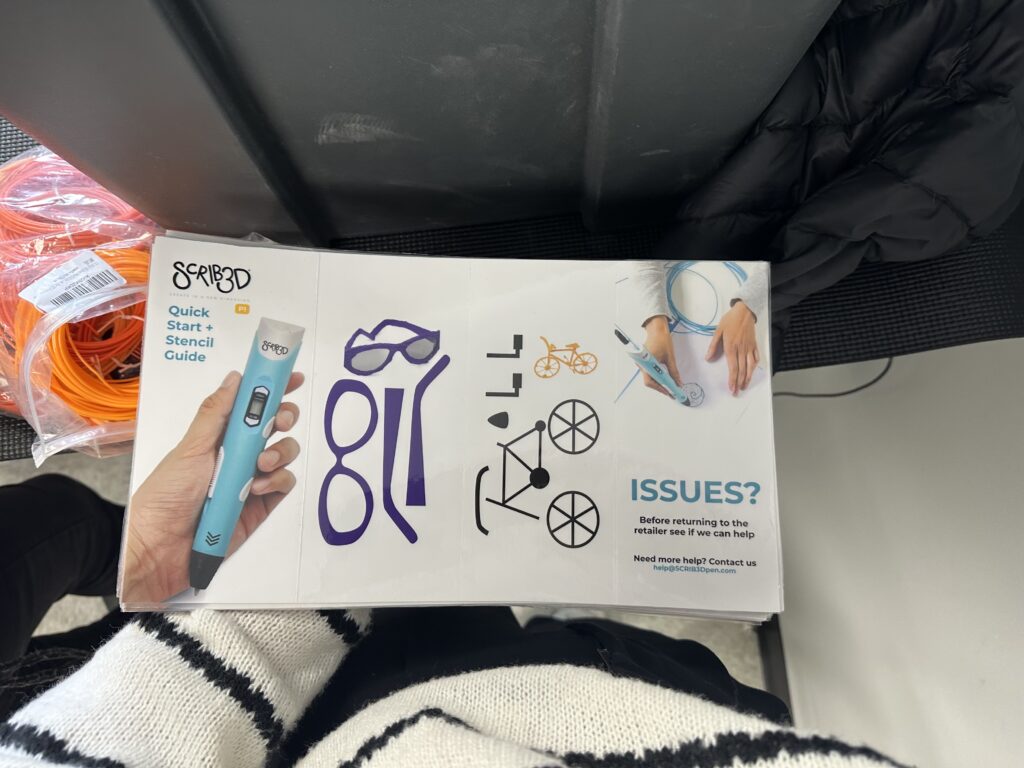
This is a Scribed Pen. It’s kinda like 3D printing but without the printer! It’s a pen that melts a plastic material to create 3D designs. A link is attached to photos above!

Inquiry Post #7 Summary

⭐️Final Post on Researching Notion⭐️

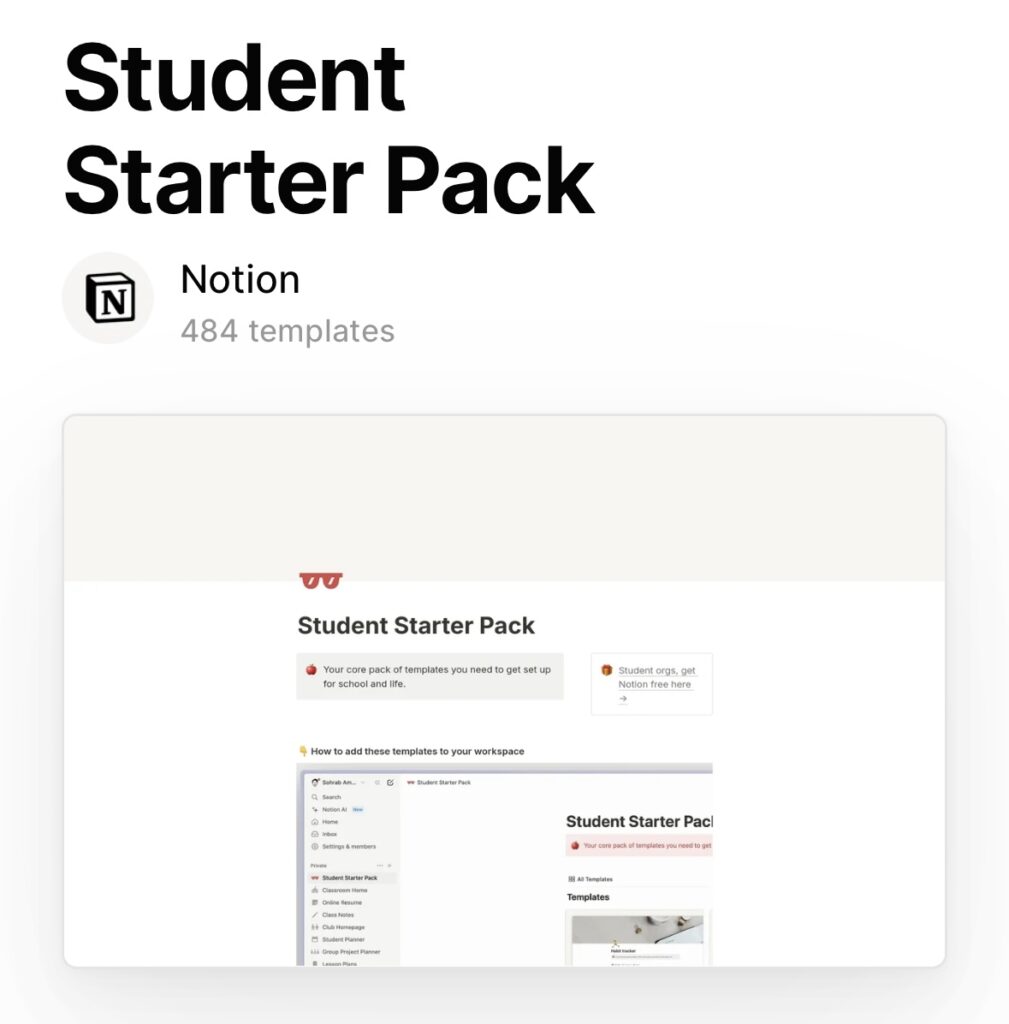
To get started as always here is a link to Notion!

https://www.notion.so/help/category/new-to-notion

Summary Graphic📍📒

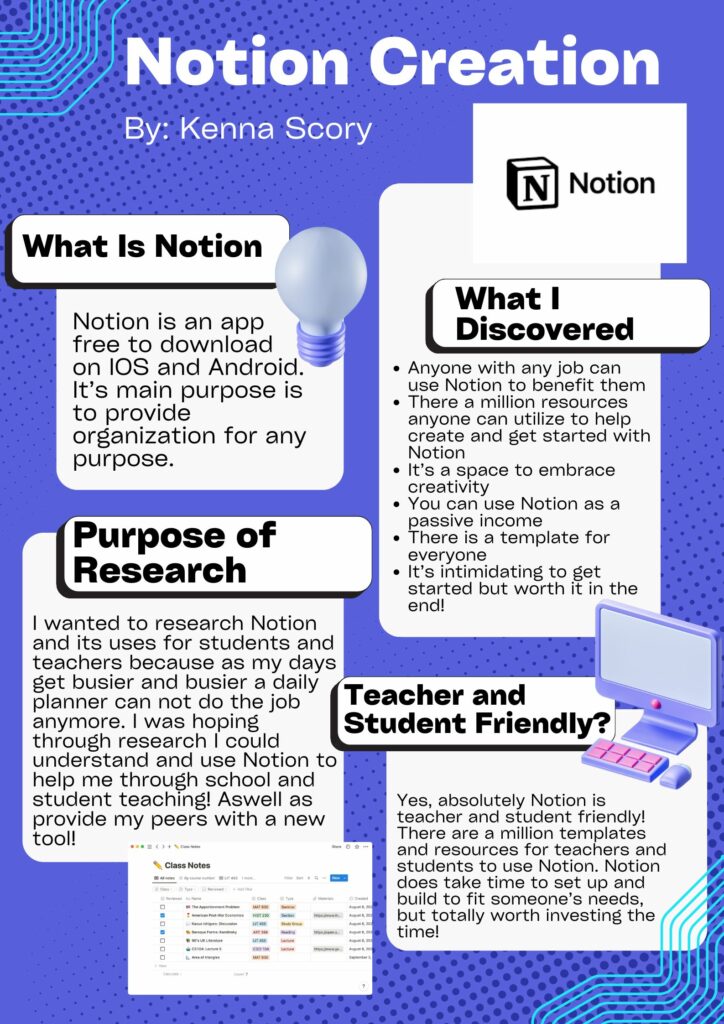
✨I used Canva to create this graphic! Canva is linked in the image!✨

To Summarize💡⭐️

My goal was to use and research the tool Notion. I wanted to determine if it was a good tool to use in the classroom as either a student or a teacher. I have determined YES Notion is a great tool for everyone. Notion helps keep the organization all in one place that is easy to access, alter and use!

Throughout this research process I have discovered many fascinating things…✨

  1. Anyone can use Notion- It’s not kid friendly but a great tool to teach middle schoolers before they enter high school👩‍🎓
  2. There is a template for absolutely everyone- Also use templates! It makes setting up a Notion page 1000 times easier⭐️
  3. You can get paid for making Notion templates🧐
  4. Use other technologies to help spice up your Notion page- There are tons of resources
  5. If you have any questions your answer is somewhere on the internet ex. YouTube, Chat GPT, Google etc.📱
  6. It is so much fun and brag worthy when you’ve completed your own Notion🎉

How I am Using Notion In the Future!📚✏️

As of today I have set up my Notion page for practicum in my second semester. I currently do not have a page build for 1st semester of classes because I would have liked to have it at the beginning rather the middle of the semester. I am so excited to dive into Notion during my practicum!

Giving It a Try🤷‍♀️🎉

Give Notion a try! It’s free to tryout and I have posted all the resources you will need throughout your journey! If you create a Notion page and wanna share it link it below so I can check it out!📍

Inquiry Post #6

Everything Else You Will Need For A Notion Page🎨

1. Use Notion’s website and resources🎥

Notion’s web browser page includes templates, a help center, tips and tricks and a community to share with other users!

2. Use other Platforms for Inspiration

Websites such as Dribbble, Behance, and Awwards are all sites that showcase work created by digital designers or other creative ideas such as templates!

3. Use AI tools

AI generated tools such as ChatGPT or Muzli can help someone getting started, spark ideas and create content. For example: If you want a cute pink Notion page you can use AI tools for inspiration or as a tool to create your page.

4. Use Social Media

Apps such as Pinterest and Instagram are easy apps where one search can give you a million ideas. You can even create boards on Pinterest for future ideas and themes!

5. Use Custom Design Tools

Use tools like Figma or Canva to create designs, stickers, icons, images and backgrounds to up your Notion page to next level!

6. Use widgets

Indify is a great resource where widgets such as a calendar, images, the weather etc. can be embedded into your Notion page so it includes everything you need in your day!

7. Use a Notion Enhancer

Notion Enhancer is an extension that gives you more customization options for your Notion pages!

8. Youtube

If you ever have any question while creating a page on Notion or want any tips or tricks just YouTube it! Someone will have the answer for you!

Note: Every resource is linked to it’s name!

Why Use Other Resources?

It takes 18+ days to create a habit. If someone invests a little bit of time everyday even something little to their Notion pages it will eventually create a habit. Taking the time to use resources will help users be creative and comfortable with Notion which is key to its success. If someone feels they have mastered Notion there is always room to keep learning!

Summary📱😁

This post includes everything you will need to have an awesome experience designing, creating, developing and using your Notion page! Give it a try and comment a link to your Notion pages you have created! Cheers!

Weekly Reflection #6

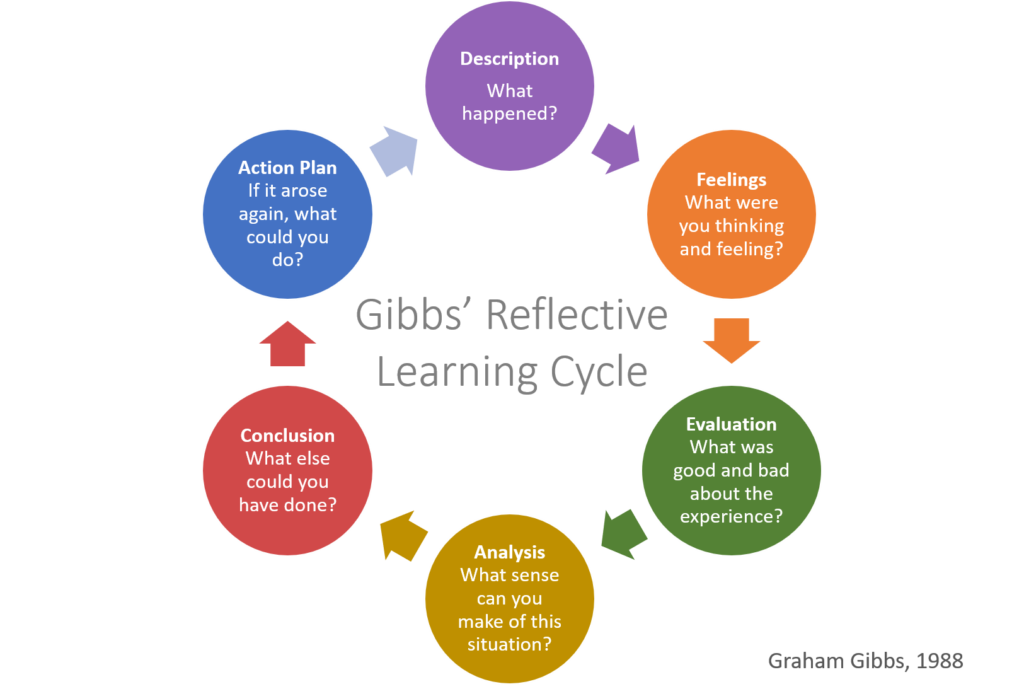
This week I will be discussing the amazing opportunity I had to go to a local elementary school and do an activity outside to celebrate Take Me Outside Day! For this weeks reflection I will be using the Gibbs’ Reflective Learning Cycle as a layout for this blog!✨

What is Gibb’s Reflective Learning Cycle?🧐⭐️

The Gibbs’ Reflective Learning cycle is a way to reflect on a time/place or situation using a step by step guide to reflect on a deeper level. A link is attached to the photo below for more information!

What Happened?🧐🧠

My class started the event by coming into a grade 2 class and getting to know the classroom, teacher and meet our students. We started the lesson with a presentation on all the animals and species we may see that are local to the park we would be visiting. (Our class pre made this presentation the week prior) We then found our buddies and started the walk to a local park that has lots of trees and a lake. Once we go to the lake we started our mission! We were to come up with an animal and create the animal using nature we found outside. For example: leaves that had fallen, sticks in the ground, rocks, flowers etc. My group decided to create a monkey and a snake! When we were done we took a photo using a class iPad and walked back to the school to post them on the class Seesaw!
Feelings?💡🤷‍♀️

In the moment I was feeling super excited to meet another local class. I almost felt no nervousness because I felt my teacher had prepared us for the day and I knew it was going to be super fun and educational! While walking I pretty confident in my ability to make strong connections with students which I feel I was successful at. It was a beautiful day out so I was happy to be outside doing what I love!

Evaluation✍️

There were plenty of great things about the experience a few to note…

  1. Learning outside is the best way to learn!
  2. Gave us an opportunity to become more familiar with technology used in classrooms like Seesaw
  3. Us and the kids had fun!
  4. There were not many limitations as to what to build and how to build it- creativity!
  5. We as teacher candidates got to do what we love!

Anything Negative? Honestly, none! Unfortunately, my group never saw any of the species we discussed but it was a little chilly and a little windy… so no dragonfly’s.

Analysis📚

I would love to try this activity again with the same group of students in the spring! I think it would be a great opportunity to discuss changes in the environment because of the different seasons. Working with the little bit of wind and chill did not stop the fun, however a warmer day would have been nice. Doing it again would also allow us university students to continue the relationships we built with the students!

Conclusion💡

This activity was a great learning experience for all of us! It gave me a good gage for grade 2 students abilities to learn outside of the classroom and into the community. I also appreciated being able to assess a grade two students abilities to work with technology by themselves. Both great ideas to keep in mind for practicum!

Action Plan✍️🏃‍♂️

Next time, I would start the same way by including a short PowerPoint, but change it to something new such as different types of plants. I would incorporate this activity into the classroom more than once a year (possibly every season) because it truly is a great way to bring creativity into the day. I will also definitely try to be more comfortable with seesaw before attending for next time!

Take Me Outside Day 🌎🌲

Take me outside day is really a day to just get outside and learn from the outdoors! We used this day as an opportunity to take a walk, explore nature and connect with others! I will definitely be taking the time when I am a teacher to get my students outside and explore. Outside can definitely spark creativity (we saw it with the creatures we created) and can be a great way to encourage motivation in the classroom!

https://takemeoutside.ca/

Inquiry Post #5

Getting Started on Notion💻🗓️

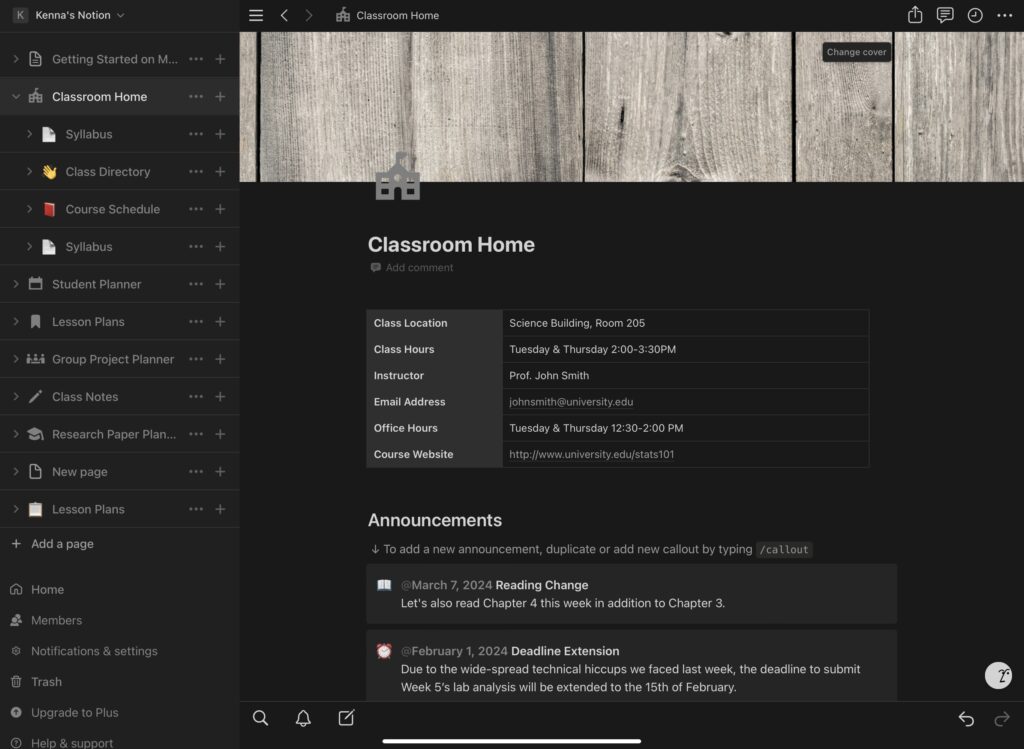
I have taken the last few weeks to familiarize myself with the Notion app. I have tried templates, creating my own and following tutorials. In this post I am going to show the methods I prefer the most and would use again to create a Notion page.

To Start: ⭐️✏️

Here’s the link to Notion! It’s free to download IOS and Android!
https://www.notion.so/product

Templates 📚💡

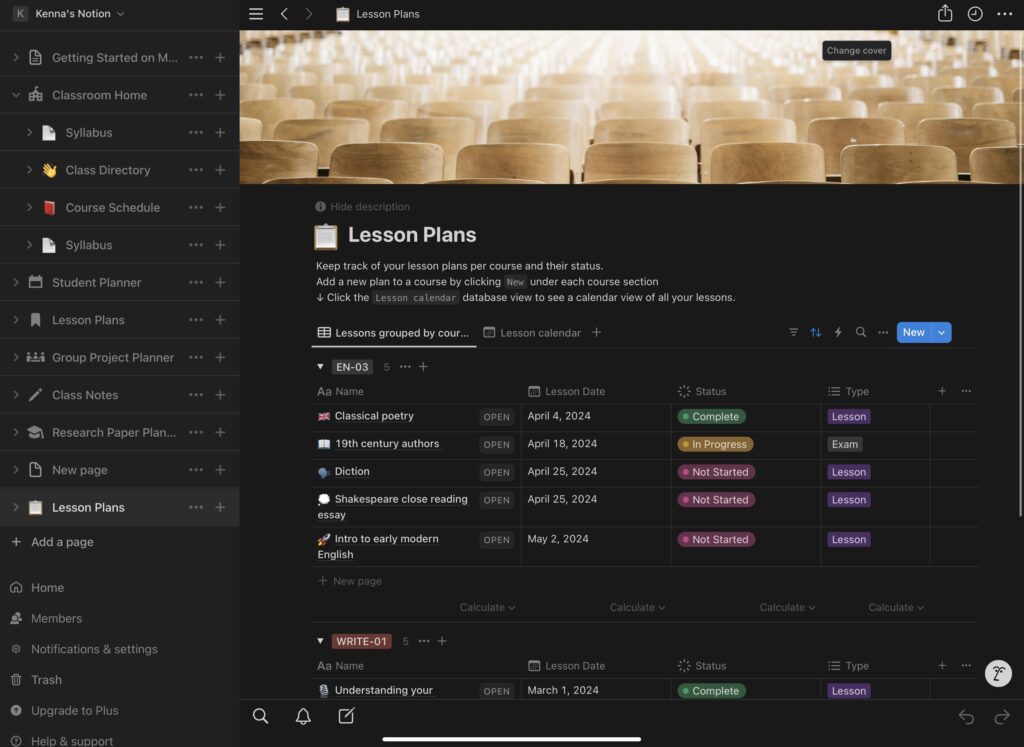
By a quick google search you will discover many templates, but how do you know what template is right for you? The answer is simple! You just have to try some out! My advice is to try templates from Notion that are free. From there either adapt the template to fit your needs or try another template. You can always start with one template and add other templates to the same Notion page. While I testing Notion out I used both student and teacher templates to see if I could create a page that fit both my student life and student teacher schedule.

The Templates I Used🧠🎨

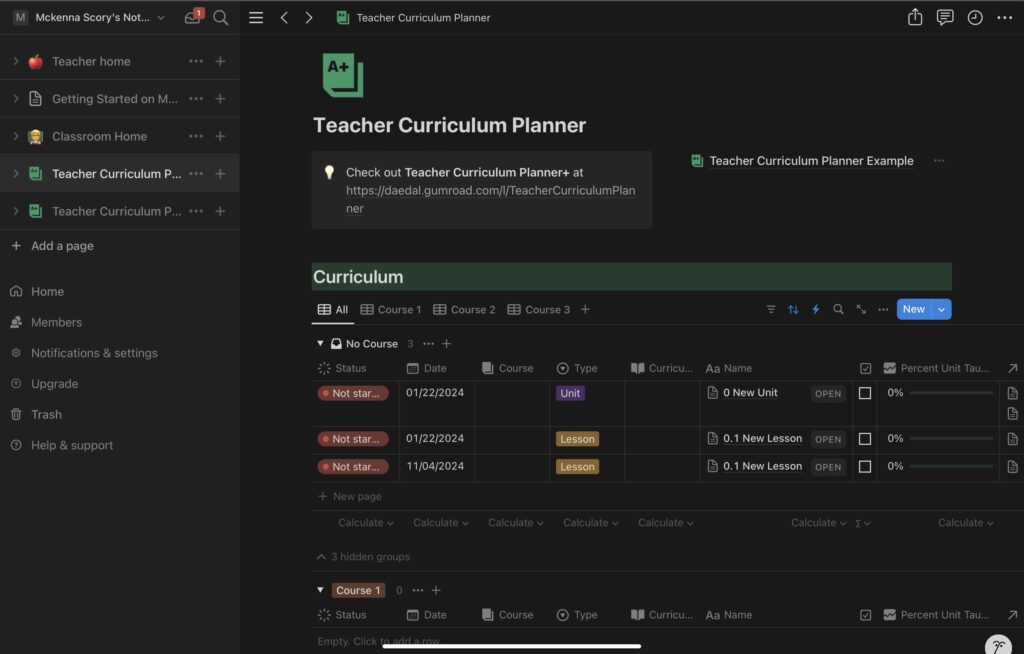
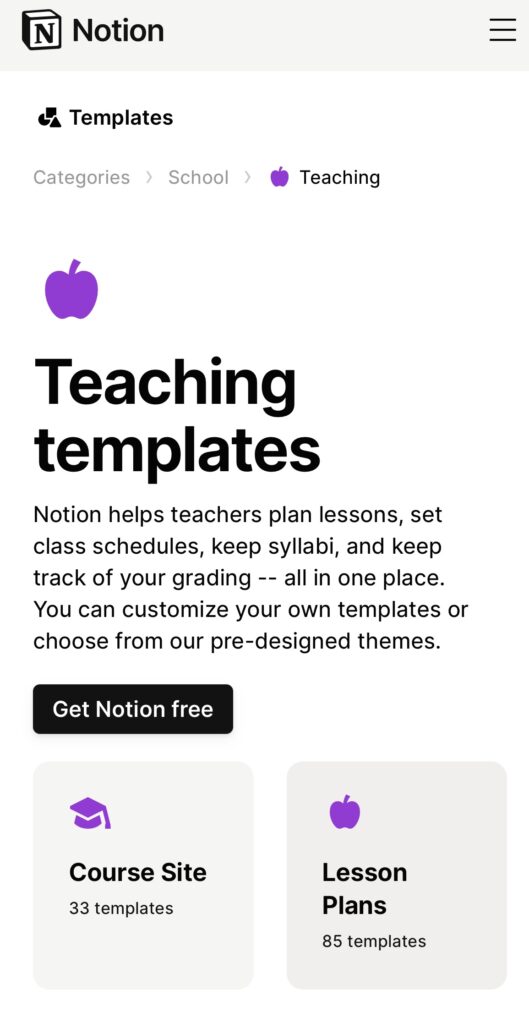
🧑‍🎓My image above includes a link to the first template that is created by Notion for teachers. I enjoyed this template for my first page because it was simple, easy to use and fill out. I found it included every tab I would need if I were a teacher besides a page to include individual pages for students. 👩‍🎓

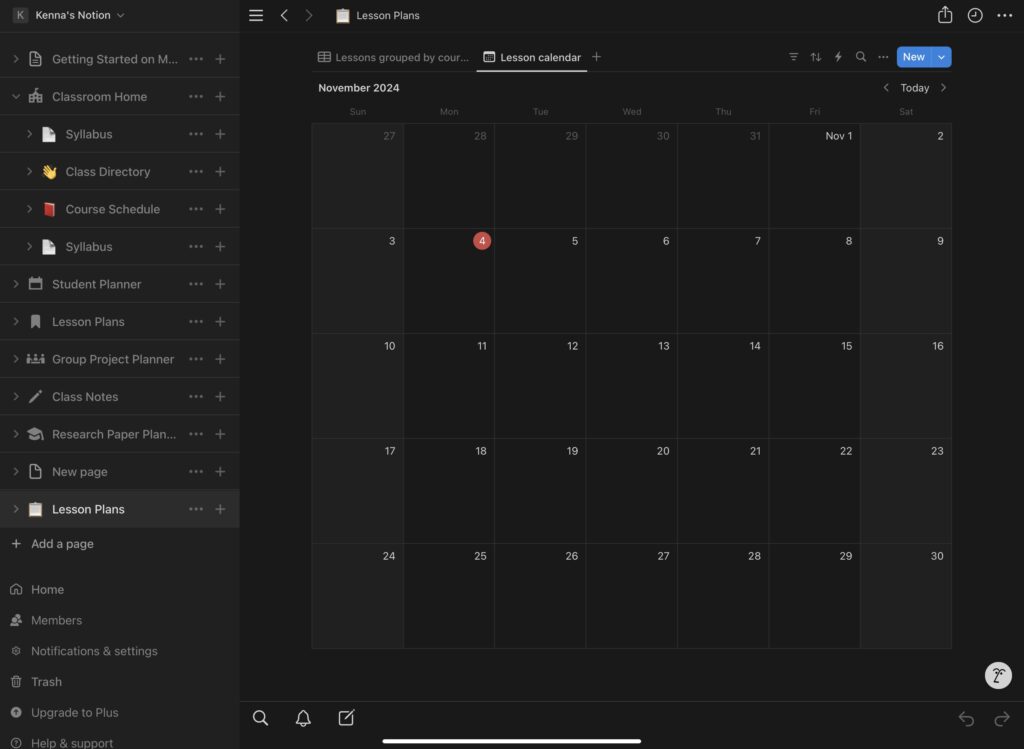
The second template I enjoyed using was this lesson plan template from Notion. The link is also included in the photo. The template was easy to go in and build it to my own schedule and future lessons. I also loved the “status” column on the template for visual tracking. 🏃‍♂️


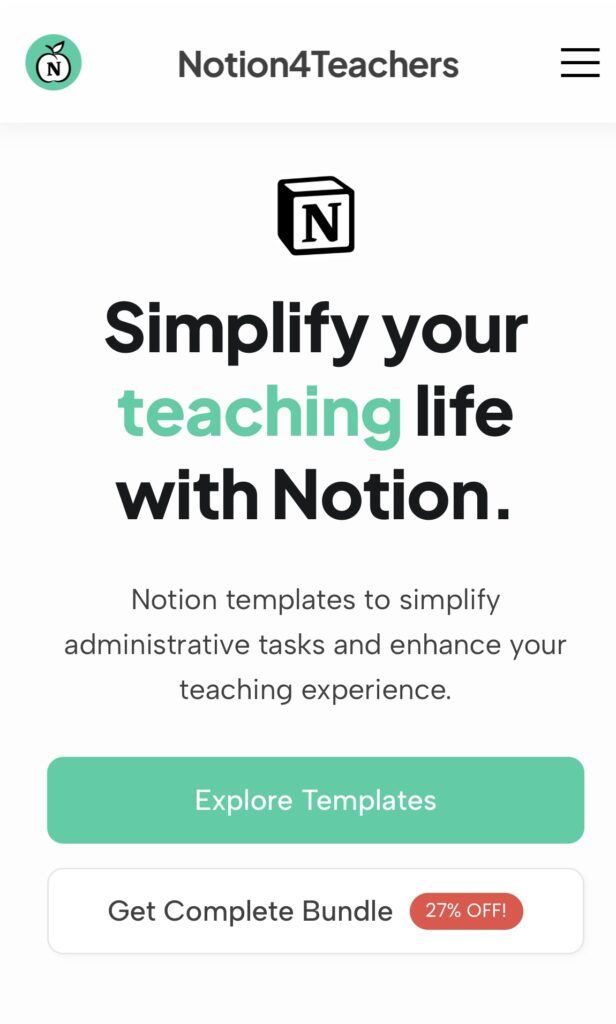
The final template I will show in the post is created by Daedal found on Notion. The template is linked in the photo above. There are a few reason why I love this template and believe it is a great tool for teachers!

  1. There is a “status” column to track progress🗓️
  2. You can select what type of lesson or unit it is📚
  3. There is a percentage bar to track progress⭐️
  4. Multiple courses can be included on the same page✏️
  5. The template is under it’s own tab on the left side💻

Below I have created a screen cast displaying the template and some of its teams. NOTE: This is not a tutorial

Why Use a Template?🤷‍♀️🗓️

If it’s your first time trying Notion getting a feel for the app can be done just by trying it out and playing with buttons. However, teachers and students do not have unlimited time to try out new technologies. That is why using templates can be a simple way to skip the hassle. There are so many resources out there to help anyone in any career to get started with Notion. If a resource is there to help ⭐️USE IT!⭐️

Weekly Reflection #5

This week I will be discussing graphic creation! We will be looking at a few examples and how I would use graphic design in a classroom!

What Is Graphic Creation?🎨🧐

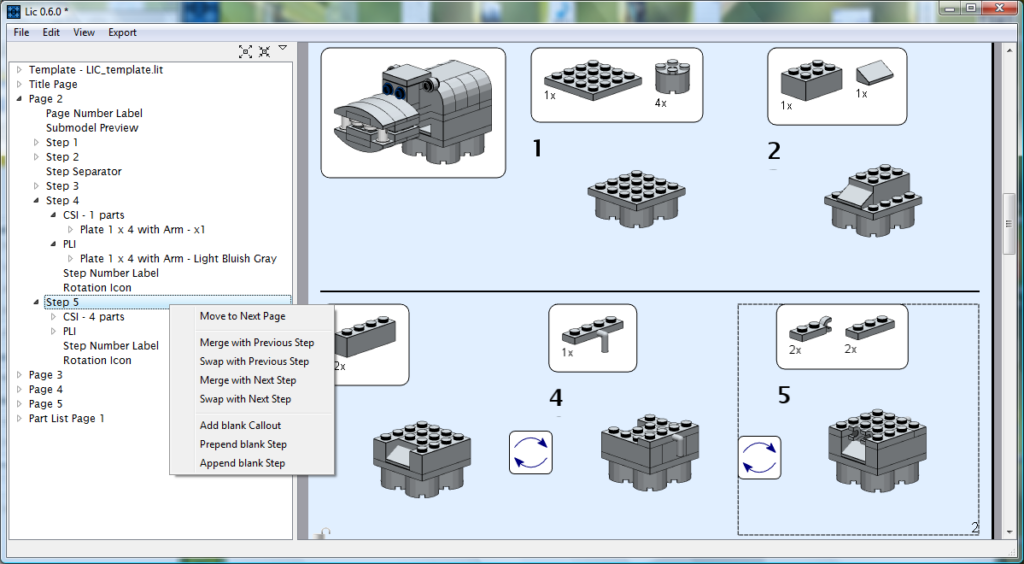
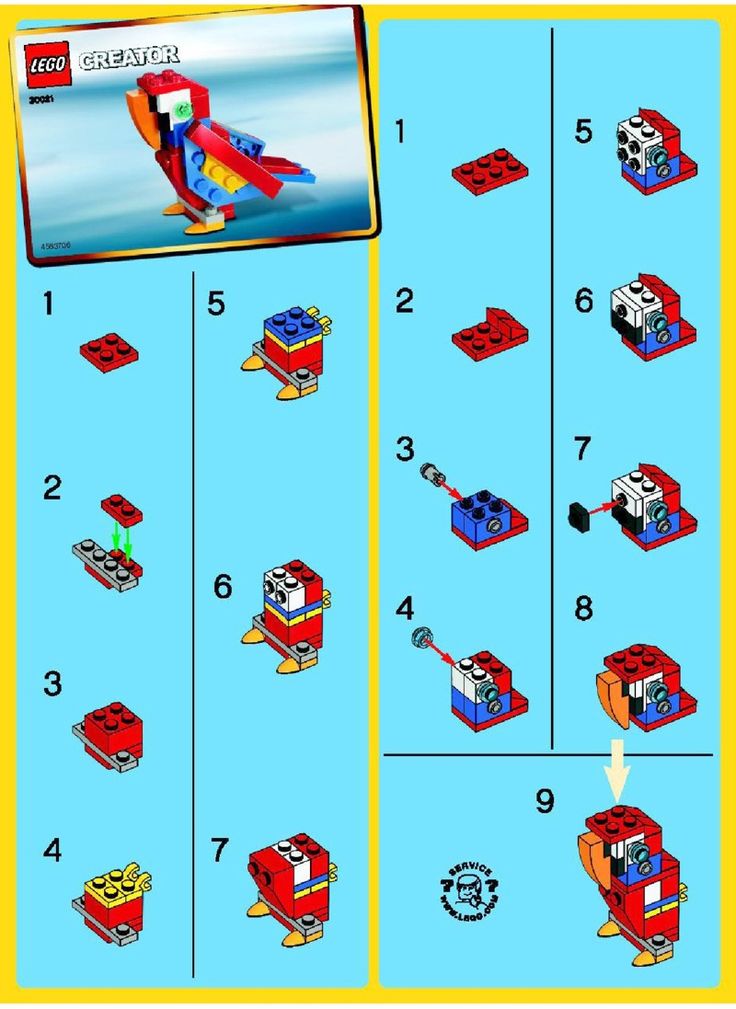
Graphic creation is a type of art that uses digital technologies and platforms to visually communicate ideas! It’s important to use both words and pictures when explaining an idea. If I were to ask someone to use these instructions to build a Lego set without any pictures . The person would take hours if not days to complete a little Lego set, but if I included pictures it would be easier. Without pictures it would be hard to understand the steps and what pieces to use!

The photo above does not have any color or words just a graphic explaining the steps.

This photo includes color and a graphic. Which is easier to use?

What if I included words to go with the images? For example, I wrote take the red 2×2 square and on one side place the gray 1×4 block on top. Next, place the red 1×2 block beside the gray block on the remaining spaces of the red square.

Putting Lego together just became a whole lot easier!

Types of Graphic Creation📱✏️

  1. Word Clouds
  2. Canva
  3. Pixlr
  4. Vectr

There are a million types of graphic creation tools. These four above are tools I would see myself using the most in a classroom!

How I Envision Graphic Creation Used In The Classroom 💻🧠

As a teacher I would use graphic creation to design posters, name tags, labels, signs and assignments. My list. Ould probably go on forever. Other than creating a physical object with graphic creation I would also incorporate it into my digital lessons like power points and.

For students I would have them create their own graphic creations on Canva for posters and presentations! I would incorporate graphic creation for student use probably around grade depending on the relationship I have with my students. Student must know how to use these sites/apps safely and appropriately. The opportunities are truly endless in a classroom setting.

✨The Graphic Design I have Created✨

I created my design on Canva!

Why Does This Matter?🧐✨

As I touched on briefly earlier asking visual representation when teaching is key! There is auditory and visual learners and in order to reach both we must use words and images. Especially on presentations like PowerPoints in the classroom. Graphic creation is also fun. It will engage and motivate students in the classroom if slides, notes and assignments include a graphic creation! Using graphic design will ultimately increase a students development and create deeper connections with information.

Free Inquiry #4

Segway to a New Idea…💡

Becoming a teacher can be so conflicting. One day you meet teachers telling you it’s an amazing career that you’re going to love and the next you’re being told you’re going to be underpaid, overworked and under supported. However, we hear that there are jobs within education that is outside the classroom but what does this look like? And how can Notion be the answer?

Link attached to photo

Passive Income In Education💰📚

⭐️ Controversial Topic Alert⭐️

Whether you agree or not teachers are finding ways to create passive income using technologies such as Teachers Pay Teachers. What’s interesting with Notion is you can earn money from creating templates!

While researching Notion I learned many creators are building templates for Notion because it is complicated to get started. These templates sell because users have their resources immediately rather than take 10 hours building their site. And let’s be real teachers do not have time to waste building a Notion page.

Link attached to photo

Helping Other Teachers👩‍🏫🧑‍🏫👨‍🏫

Teaching can be hard, but it is a lot more easier when you have a community to rely on. Resources are always being shared! Just like Teachers Pay Teachers, teachers can take the work they have already made and sell it to other teachers!

Two awesome things are happening!📝🖇️

  1. The original teacher who created the template is creating a profit
  2. The teachers purchasing are utilizing the resource and getting the benefits from using Notion

Examples🎥📱

What This Looks Like Now and In the Future⭐️💡

As of today Notion is not widely known in the teacher community. I do see that changing as Notion gets bigger and bigger. I also believe Notion has the power to change and develop drastically to be the ultimate resource for teachers and students. I would one day love to see a teachers sharing their Notion pages to the teaching community because I do feel it is an incredible tool!

Free Inquiry #3

How Are Teachers Using Notion📱

Teachers around the world have started to use Notion as their own personal websites to track and plan everything inside and outside of the classroom. Doing this makes the day of a teacher much easier by having everything they need in one place!

Teachers are using Notion for…✏️📒

  • Calender
  • General Planner
  • Planner for each subject/class/students
  • Report card generator
  • Have a page for student info for birthdays, medical notes, parents information, IEP’s and so much more!
  • Reward checker
  • Assessment tracker
  • Finance Tracker
  • Digital Timetabling
  • Ect…

Resources I am Using💻

For my last two inquiry’s I have included several TikTok’s. this is because TikTok gives me quick videos loaded with information from Notion. It is also coming from people with real experiences using Notion instead of pay reviewers (unless they are promoting their templates).

⭐️Other Resources For You⭐️

These first page takes you directly to the Notion page for teachers. It includes templates and tutorials to get you started. The second page offers a wide range of templates for teachers to also use!

Free Inquiry #2

How students are using Notion🧑‍🎓👩‍🎓

Tracking Assignments

Students are using Notion to track all their assignments throughout the semester. The app allows you to plug in all the information and sort the dates so students never miss a a due date!

How to set up an Assignment Tracker📝

  1. Add a new page
  2. Turn on width (right side) and select a font
  3. Select “table”
  4. Select “new database”
  5. Delete the column “tags”
  6. Add you own column
  7. On left choose “select” property
  8. Then enter your classes
  9. For the next column choose “date” property in the left
  10. Name it
  11. For the next column choose “status” and save

💡There are also templates that can be purchased if that’s easier!💡

Other Ways students are using Notion📚🖇️

  • Notion has a calendar app separate from the original app, however you can add a calendar to the planner aswell
  • Tracking exam dates
  • Taking notes in an organized fashion for each class
  • Creating to-do lists
  • Ect…

Notion is free to use which many students appreciate. It’s an app that can be used for a million things while never costing a dime. It’s a great tool for in the classroom but outside as well.

Study Planner Tutorial🪜

Above I’ve linked a direct template from Notion for students use!

What I Have Learned So Far🧠🧐

Notion can be overwhelming at first. There is so much information out there on how to use Notion and every step seems to include three more steps. However, through research I have learned it is worth it to take the time and create a Notion page. There are so many students saying it has saved them or been a game changer!

« Older posts Newer posts »

© 2026 Kenna’s Portfolio

Theme by Anders NorenUp ↑