Category: Weekly Reflections

This is the category to apply to your Weekly Reflection posts from the course.
Weekly Reflection #8

This week in class we learned about a tool for the classroom called Prodigy! Prodigy is a game that is educational and incorporates the use of math.

How it Works!✨

Teachers set up an account and assign a sign up code for each student. The students can then play the game under their own account that is linked to the teacher. Teachers can assign specific math topics and monitor a students progress. In the game the student is a character and the character goes on an adventure. Throughout the adventure students will complete math challenges to collect rewards! Link attached to photo below!

My Experience 😁💡

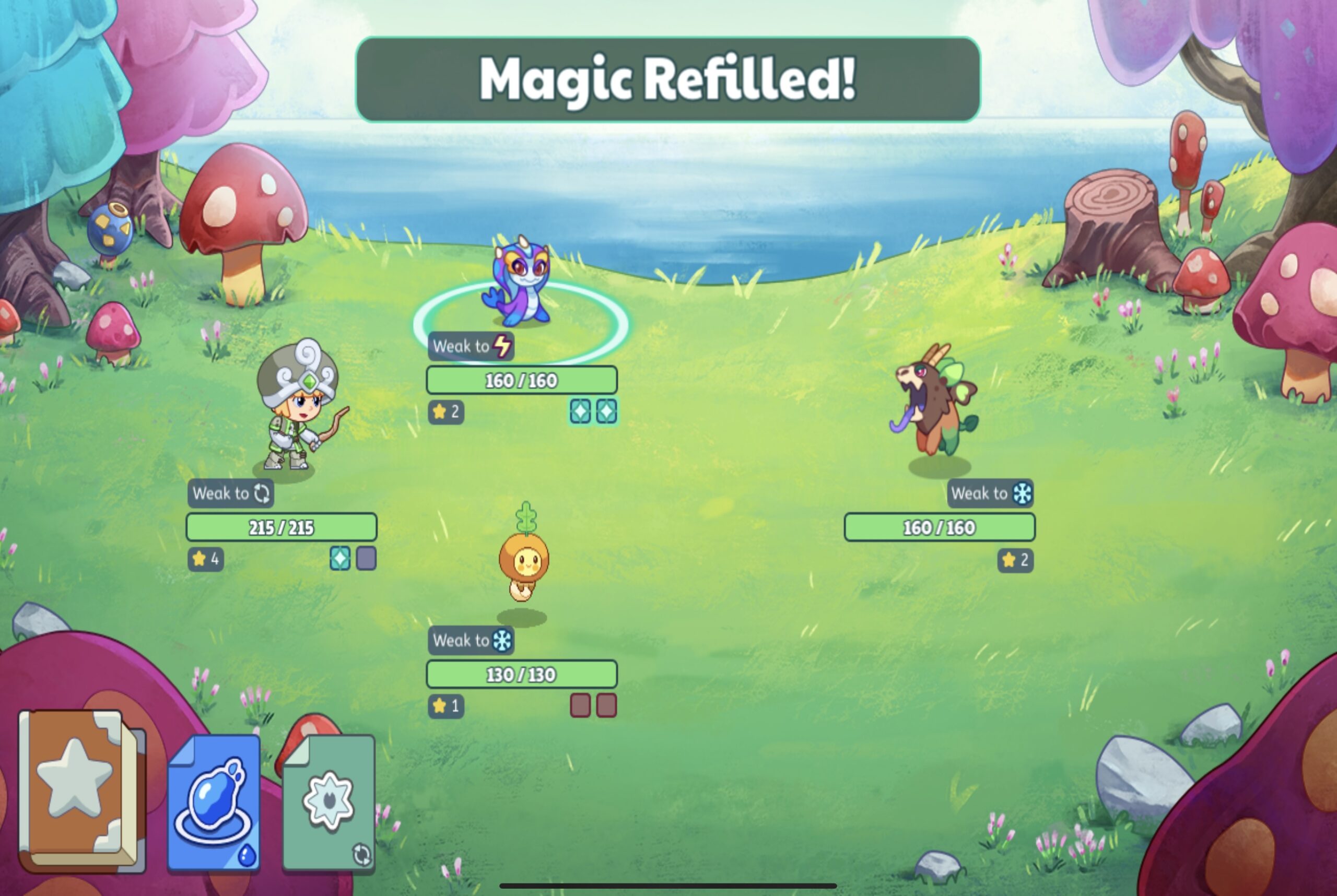
The photos above were taken while I was playing prodigy. It was super fun to create my character, however the character selection is not inclusive. This is something to be aware of if used in the classroom. Prodigy is easy to understand and the instant feedback and rewards makes it fun! I enjoyed the main idea behind the game. Using math questions to level up motivated me to keep playing even though I had to challenges to continue.

What It Has To Offer Teachers📚🧐

I believe Prodigy is a great resource to incorporate into the classroom. If I were to use this in my classroom I would utilize it as a fun activity for students to do during free time or after they have completed assignments. The game has educational components however players do spend more time playing the game rather than completing math questions. Prodigy still has a lot of great features though such as gearing the game towards students abilities and tracking their progress. Teachers can use the instant feedback to track and share students progress with families!

https://youtu.be/8ZdtgWHDVIY?si=lwkXUKVNxHUGs8f_

What Is Gamification In Schools?✨

Gamification is adding game playing to other activities such as math, science etc.. in classrooms to increase students motivation!

I have attached a link to the photo below for more information!

Pros and Cons to Gamification in classrooms 💻⭐️

I created a poster on Canva for the pros and cons to gamification in classrooms.

I’ve attached a link the Canva to the image!

Weekly Reflection #7

This week I got a chance to check out the SD#5 design lab located in a located elementary school. We got to see many cool technologies that can be used in schools (keep reading for more details!) as well as learn and reflect on “Innovation in Education”.

Innovation In Education 📚😁

What is it?

Innovation in education means to use new technologies and advances to increase motivation in students to use their independence, collaboration skills, creativity and imagination. Using innovative technologies in the classroom will create a space with less barriers and more inclusion for students.

Why does this matter?

In a diverse classroom students will have all levels of abilities and every student will be different. The great thing about innovation in education is it aims to meet all students needs. It allows students to create at levels where they are at and can achieve personal and academic goals. Ultimately, it will increase students motivation in the classroom and create a safe and innovative space for every student to learn and grow in.

SD#5 Design Lab📱🎨

The SD#5 design lab is a cool space that has tons of cool technologies for classrooms in the district come try out! A few tools they have are…

  1. 3D printers
  2. Lego
  3. VR Headsets
  4. Laser cutter
  5. Books
  6. And So Much More!

The design lab is the perfect example for innovation in education. Unfortunately, not every school will have the same resources, but with the design lab any classroom in the district can come and spend the day working in the lab. (Even busing is covered) This way every student has the same opportunities. This lab is a safe space for students to use their creativity and imagination in an educational setting and increase their motivation to learn! The design lab is an incredible space that our communities are blessed to have, because every student deserves the opportunity to learn and use advanced technologies.

What Stood Out?

As soon as we walked into the lab I noticed the space was an open concept with lots of room to move around. The building and space was also accessible for all students. The space was also filled with so many cool things. I could have spent hours just looking at everything! Most importantly I noticed how safe and inclusive the space is. The team who runs the design lab have students best interests at heart and it really shows!

The Activities I Tried!

I tried the game Pixicade on an iPad. This game allows students to draw a game, take a picture of it and the app will bring the game to life!

Books📚

There was so many books to give a quick read. I definitely will be using these resources when I am a teacher!

Into My Career 👩‍🎓✏️

I envision to use this space when my students need something to look forward to in their week. The design lab is so much fun that students do not even realize they are learning. If I find my students are lacking motivation and need that boost of creativity I would definitely utilize the design lab! I would do projects such as Lego, 3D print their designs and the Scribed Pens! I would plan an activity that was cross curricular and then head to the design lab to make their designs come true! The options are endless.

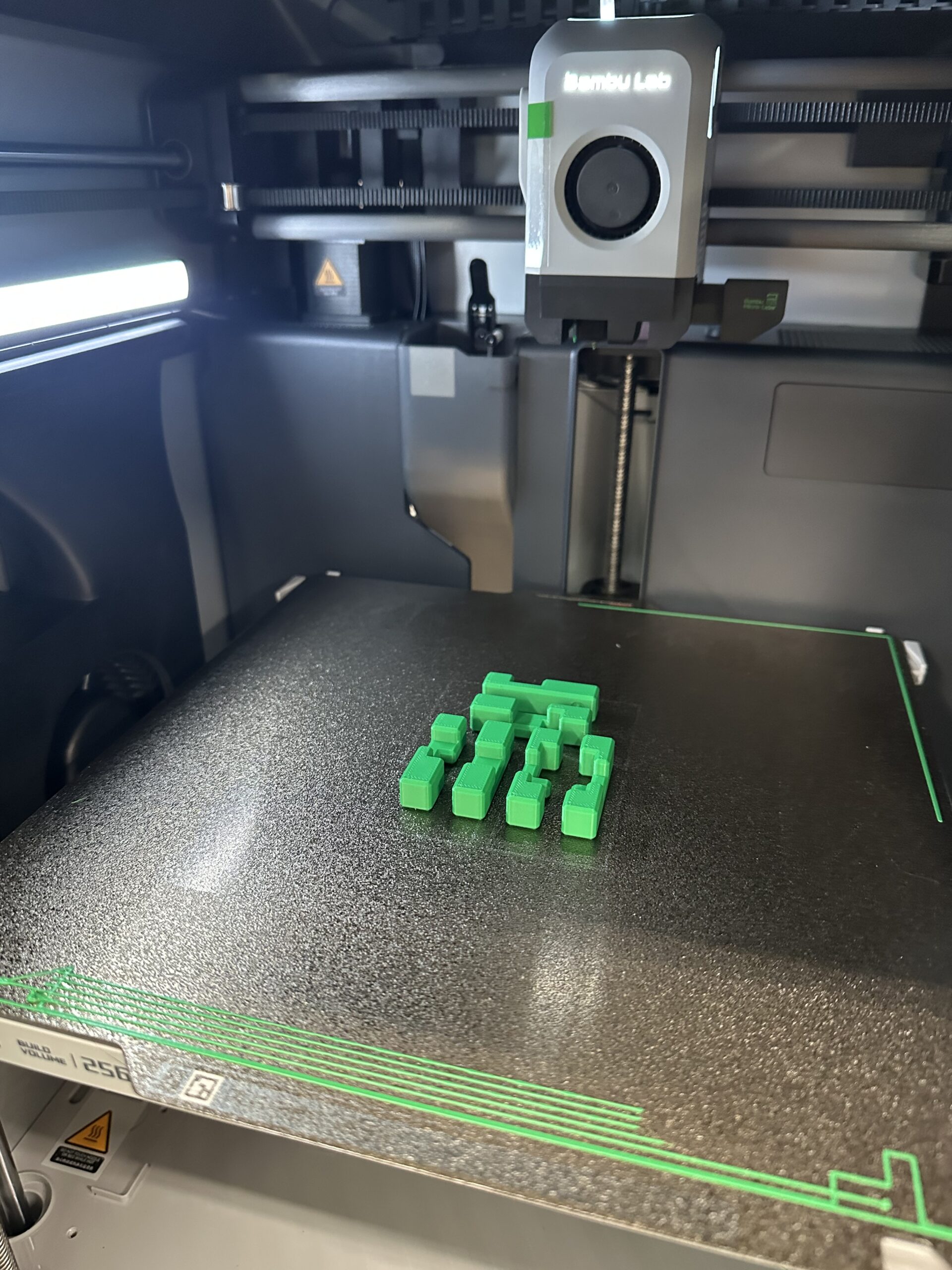
This is a Scribed Pen. It’s kinda like 3D printing but without the printer! It’s a pen that melts a plastic material to create 3D designs. A link is attached to photos above!

Weekly Reflection #6

This week I will be discussing the amazing opportunity I had to go to a local elementary school and do an activity outside to celebrate Take Me Outside Day! For this weeks reflection I will be using the Gibbs’ Reflective Learning Cycle as a layout for this blog!✨

What is Gibb’s Reflective Learning Cycle?🧐⭐️

The Gibbs’ Reflective Learning cycle is a way to reflect on a time/place or situation using a step by step guide to reflect on a deeper level. A link is attached to the photo below for more information!

What Happened?🧐🧠

My class started the event by coming into a grade 2 class and getting to know the classroom, teacher and meet our students. We started the lesson with a presentation on all the animals and species we may see that are local to the park we would be visiting. (Our class pre made this presentation the week prior) We then found our buddies and started the walk to a local park that has lots of trees and a lake. Once we go to the lake we started our mission! We were to come up with an animal and create the animal using nature we found outside. For example: leaves that had fallen, sticks in the ground, rocks, flowers etc. My group decided to create a monkey and a snake! When we were done we took a photo using a class iPad and walked back to the school to post them on the class Seesaw!

Feelings?💡🤷‍♀️

In the moment I was feeling super excited to meet another local class. I almost felt no nervousness because I felt my teacher had prepared us for the day and I knew it was going to be super fun and educational! While walking I pretty confident in my ability to make strong connections with students which I feel I was successful at. It was a beautiful day out so I was happy to be outside doing what I love!

Evaluation✍️

There were plenty of great things about the experience a few to note…

  1. Learning outside is the best way to learn!
  2. Gave us an opportunity to become more familiar with technology used in classrooms like Seesaw
  3. Us and the kids had fun!
  4. There were not many limitations as to what to build and how to build it- creativity!
  5. We as teacher candidates got to do what we love!

Anything Negative? Honestly, none! Unfortunately, my group never saw any of the species we discussed but it was a little chilly and a little windy… so no dragonfly’s.

Analysis📚

I would love to try this activity again with the same group of students in the spring! I think it would be a great opportunity to discuss changes in the environment because of the different seasons. Working with the little bit of wind and chill did not stop the fun, however a warmer day would have been nice. Doing it again would also allow us university students to continue the relationships we built with the students!

Conclusion💡

This activity was a great learning experience for all of us! It gave me a good gage for grade 2 students abilities to learn outside of the classroom and into the community. I also appreciated being able to assess a grade two students abilities to work with technology by themselves. Both great ideas to keep in mind for practicum!

Action Plan✍️🏃‍♂️

Next time, I would start the same way by including a short PowerPoint, but change it to something new such as different types of plants. I would incorporate this activity into the classroom more than once a year (possibly every season) because it truly is a great way to bring creativity into the day. I will also definitely try to be more comfortable with seesaw before attending for next time!

Take Me Outside Day 🌎🌲

Take me outside day is really a day to just get outside and learn from the outdoors! We used this day as an opportunity to take a walk, explore nature and connect with others! I will definitely be taking the time when I am a teacher to get my students outside and explore. Outside can definitely spark creativity (we saw it with the creatures we created) and can be a great way to encourage motivation in the classroom!

https://takemeoutside.ca/

Weekly Reflection #5

This week I will be discussing graphic creation! We will be looking at a few examples and how I would use graphic design in a classroom!

What Is Graphic Creation?🎨🧐

Graphic creation is a type of art that uses digital technologies and platforms to visually communicate ideas! It’s important to use both words and pictures when explaining an idea. If I were to ask someone to use these instructions to build a Lego set without any pictures . The person would take hours if not days to complete a little Lego set, but if I included pictures it would be easier. Without pictures it would be hard to understand the steps and what pieces to use!

The photo above does not have any color or words just a graphic explaining the steps.

This photo includes color and a graphic. Which is easier to use?

What if I included words to go with the images? For example, I wrote take the red 2×2 square and on one side place the gray 1×4 block on top. Next, place the red 1×2 block beside the gray block on the remaining spaces of the red square.

Putting Lego together just became a whole lot easier!

Types of Graphic Creation📱✏️

  1. Word Clouds
  2. Canva
  3. Pixlr
  4. Vectr

There are a million types of graphic creation tools. These four above are tools I would see myself using the most in a classroom!

How I Envision Graphic Creation Used In The Classroom 💻🧠

As a teacher I would use graphic creation to design posters, name tags, labels, signs and assignments. My list. Ould probably go on forever. Other than creating a physical object with graphic creation I would also incorporate it into my digital lessons like power points and.

For students I would have them create their own graphic creations on Canva for posters and presentations! I would incorporate graphic creation for student use probably around grade depending on the relationship I have with my students. Student must know how to use these sites/apps safely and appropriately. The opportunities are truly endless in a classroom setting.

✨The Graphic Design I have Created✨

I created my design on Canva!

Why Does This Matter?🧐✨

As I touched on briefly earlier asking visual representation when teaching is key! There is auditory and visual learners and in order to reach both we must use words and images. Especially on presentations like PowerPoints in the classroom. Graphic creation is also fun. It will engage and motivate students in the classroom if slides, notes and assignments include a graphic creation! Using graphic design will ultimately increase a students development and create deeper connections with information.

Weekly Reflection #4

Stop Motion In The Classroom🎥

💡Who, What, When, Where, Why, and How💡

I had the opportunity to visit a grade 3 classroom with my fellow peers and create stop motion videos!

How it Worked…✍️🧐

We walked into the classroom and could already feel the excitement! Stop motion is very loved in classrooms because kids love being creative and imaginative. Our groups were already assigned which made things easy and breezy. We found our groups and started filling a worksheet to plan our videos. Next, we gathered supplies like whiteboards and markers. We already had the stars of the show…Their desk pets. I’ll touch on those in a few. After, we started creating!

I loved working with the students to put their ideas into action! When the videos were all created we took the time to make small edits and add some music. Once, everyone was all done we all gathered and watched every groups stop motion.

Troubleshooting….⭐️

Even though use university students and the students we worked with had used stop motion before, we could not figure out the music for our video. Unfortunately, the iPad we used for this project would not let us create our own audios and the iPad had a limited amount of sounds. When we found a few we liked we struggled to work with the audios because the sounds kept overlapping. Another was at the end the video cuts out the top and the class did not get to see the whole video. However, it was a great learning experience and all for fun!

We had quite a bit of time to work on our videos however, I feel like with stop motion you’ll never feel like you had enough. As mentioned earlier we used iPads which were efficient to use and used the app Zing Studio. There many stop motion apps, I am not too sure if I would suggest Zing Studio, but it is a great tool for the classroom.

Into my Career With Me👩‍🎓🏫

If I used stop motion creation in my classroom I would have these few things before we start…

  • A complete understanding of online safety
  • Several videos instructing student ends how the technology works
  • Several examples to learn from
  • Time to familiarize and have fun with before we start a project
  • Decide groups and have that ready to go
  • A worksheet outlining the story they want to create (example below) fully done before we start
  • Ensure all the iPads have the app downloaded and updated
  • Supplies handy (I’ll explain further)

Stop Motion is a great tool to incorporate into the classrooms. I discussed with my peers I would use stop motion to incorporate imagination and creativity into projects! I also thought it would be a great tool to use for students lacking motivation!

Supplies✏️📷

Working with stop motion can very fun and very creative. However, without the right supplies students can feel unaccomplished because their video did not come out how they anticipated. Our group used whiteboards for the background but unfortunately the desk pets would erase when they moved. Therefore, having supplies such as paper, scissors, markers… help execute the ideas more effectively. On the contrary, as teachers we must ensure we’ve included enough time for the creation of this is we are using supplies.

Stop Motion Guide📝🎥

Time⏱️

Stop motion can be time consuming. For best results I would plan a few hours throughout the week to complete the outline, prop creation, video creation, editing and watching the videos.

Themes🎨

  • Using clay from art for stop motion
  • Create math equation videos
  • Create cycle videos for science ex. Water cycle
  • I would use in health class to create what healthy relationships look like
  • Quick work of affirmations videos-show one every morning!
  • The possibilities are endless!


Desk Pets🐶🐱

I am not 100% familiar with desk pets. From my understanding each student gets a desk pet at the beginning of the year. These pets are small micro stuffed animals that the students use at buddies. For example, reading buddies. We used the desk pets as our characters in our stop motion video. Here’s a TikTok from a teacher online explaining how her class uses desk pets!

Weekly Reflection #3

Stop Motion🎥⭐️

For this weeks reflection I am sharing my stop motion video I created with a few peers. We used the stop motion app called Zing studio that uses several photos and morphed them together to create a video. My post will discuss, trouble shooting, in the classroom and going forward!

Trouble Shooting…🧠💡

A few problems that occurred while creating this stop motion. Without a tripod it was difficult to keep the camera straight for clear clips. Issue two was that we felt our video was too short even though we spent a lot of time creating it. Problem three was that without multiple characters it was difficult to assign roles equally.

How To Stop Motion Guide💻🎥

In The Classroom🏫✏️

If I were to create stop motion videos in class I would assign groups no more than 3-4 and in a quiet space. I believe this is a project where students can become overwhelmed with the use of technology, sound, peer support and learning new things. I would also connect this to an art class and have the students use clay sculptures they designed or connect to a social studies class and create commercials or advertisements.

Our Vision😁📱

Our vision was to create a clip where a fox chased children around the forrest until they ran to their parents for safety. I think our video was a success. Next time I would include more trees and possibly a different background. I had so much fun creating this video with my peers and cannot wait to create more!

Weekly Reflection #2

My Digital Footprint💻💡

For my week two reflection I chose to go on the adventure of discovering my digital footprint. Upon googling myself I found nothing interesting except one selfie of me from middle school. However, I have seen first hand how a digit footprint can hurt your career as a teacher.

While I was in school there was a first year teacher. I will not tell the full story but there was a photo she had posted that would have been innocent in any other career, but unfortunately a few students found the photo. The students printed it off at the school library and shared it around the halls. The school investigated and the students were held accountable. However, the situation will not be forgotten.

Sergey Zolkin | Unsplash

The White Hatter⚪️📱

I believe it’s important to not only be careful of our digital footprints but also sharing online safety with our students. There are plenty of resources to help teachers navigate those tricky conversations with students. Such as, how everything posted is there forever, how there can be legal implications to online bullying and harassment and much more.

The White Hatter is a company that does workshops and presentations about online safety, online bully and online harassment. It is a great team of people doing amazing work that teachers and schools can rely on to have accurate information.

I had the opportunity to attend a workshop in high school and it was a truly amazing experience. one takeaway was their ability to get across the importance of online safety.

The photo below has an attached like to the White Hatter site. The link below is to a preview video about digital literacy created by the White Hatter.

So what?🧐

This type of education is extremely important to students because outside of the classroom we cannot control what students access, how ever we can teach our students how to be safe online and give them resources to access. I learned through this research that unfortunately there are many scary things that can happen online and it stays online forever. I believe it is necessary to teach digital literacy and safety to everyone even teachers and will make it a personal goal to discuss online safety with my students, peers and fellow teachers.

Weekly Reflection #1

High Tech High🚌🏫

In San Diego, California, High Tech High school follows a type of education new to society and different from traditional schools. There are currently 16 HTH charter schools that follow a unique structure for education. At High Tech High teachers are on one year contracts, they have no specific curriculum they follow and students have a flexible non structured day. Rather than a structured curriculum, students have full autonomy and independence to create projects that some people would think to be impossible to do in a school setting.

Jason Goodman | Unsplash

What I learned…🧠💡

What’s interesting is how the students have complete autonomy over their success in school. The school focuses on collaboration, peer support and imagination to drive students to success and create their own paths with teacher support. We see in the documentary that there is not one way to learning or one way to approach teaching. The students take part in project based learning, where they tackle problems as they arise and collaborate on solutions. In the documentary there is a lot of discussion about student success and we see that their students are in fact very accomplished and are prepared for post secondary. Furthermore, another interesting suggestion is that schools do not need extra funding for this type of education. In the documentary we see a wide range of tools and supplies in the school, however HTH receives the same amount of funding as any other public school in California.

So what?📝📒

This type of schooling that HTH integrates into its schools challenges traditional ways of teaching. Dismantling the idea that traditional schools is the only path to success. Instead, HTH focuses on the individual learner and letting their inspirations guide them to success. HTH forces us future educators to ask questions about today’s education and what it could look like in the future.

Into My Career as a Teacher🧑‍🎓✍️

In my career as a teacher I will create a safe space where my students have freedom to explore their interests in the classroom. It’s not expensive or a burden to give students the space to be creative. Ultimately, it helps the students develop into ambitious learners with a great tool box of skills. To add, I encourage myself and fellow peers to bring in collaboration and imagination into their classrooms. By encouraging this approach students will be more motivated and have greater success inside the classrooms.

Inquiry Based Learning😁🖇️

Inquiry based learning is new to me. However, through reasearch I have read inquiry based learning can be a very useful strategy in the classroom. Just as HTH uses inquiry based learning, students create a project over the course of time that will demonstrate learning in multiple areas.

Check out my Free Inquiry project on my page!

© 2026 Kenna’s Portfolio

Theme by Anders NorenUp ↑